To organize teamwork for managers, it is necessary to create a single support group in Telegram.
- Create a new group in Telegram.
- Invite all store managers to the group.
- Add the created store bot to the group and assign it as an administrator.
- Get manager IDs: ask each added manager to send the
/myidcommand to the group. Copy the received values.
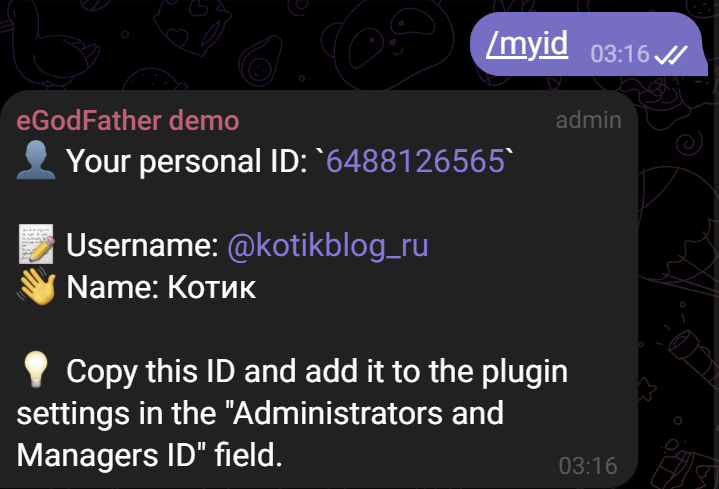
- Go to the WordPress plugin settings (Connection tab) and paste the copied IDs, separated by commas, into the Administrator and manager Telegram IDs field.
- Get the group ID: send the
/idcommand to the group. Copy the ID (including the minus sign at the beginning) and paste it into the Telegram support group ID field in the plugin settings.
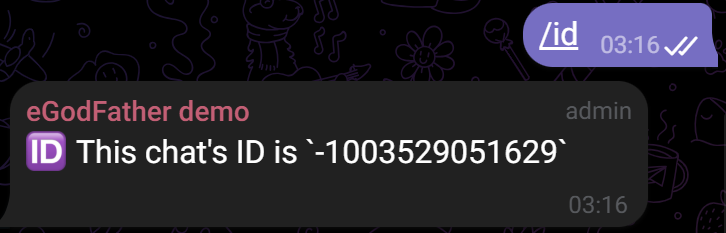
Warning: When adding new members, the group type may change to a “Supergroup,” which will cause its ID to change (for example, from -50… to -100…). In this case, you must request /id again and update the plugin settings.
- Save the plugin settings and click the synchronization button at the bottom of the page. You must click synchronization strictly after saving the settings.