Navigation management in the app (header menu and catalog menu) is carried out through standard WordPress functionality.
- In the WordPress admin panel, go to Appearance -> Menus.
- Select an existing menu or create a new one. Add the necessary pages or categories to it.
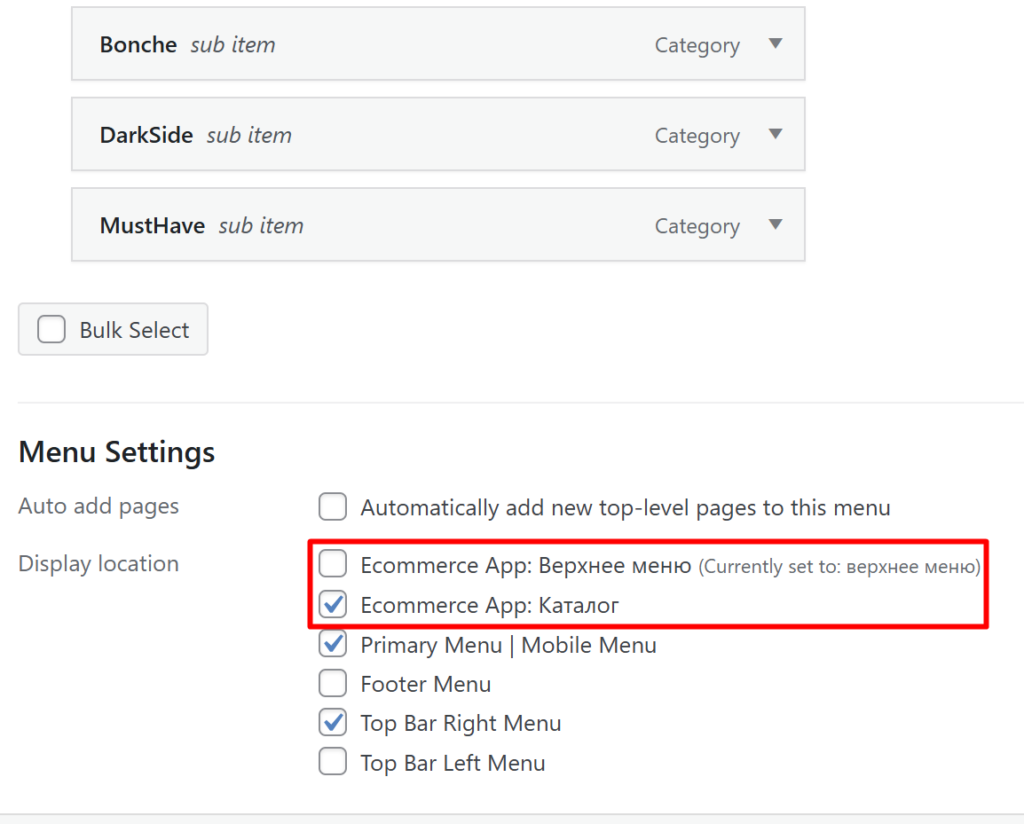
- In the Menu Settings block (at the bottom), select the display location:
- Ecommerce App: Header Menu — check this item so that elements are displayed in the app right under the header (suitable for “Shipping”, “Payment”, “Contacts” links).
- Ecommerce App: Catalog — check this item for a menu containing a list of your store’s categories. Categories not added to this menu will not be displayed in the app catalog.
- Save menu.