After successfully setting up the group, all user messages sent to the bot will be duplicated to the general support chat.
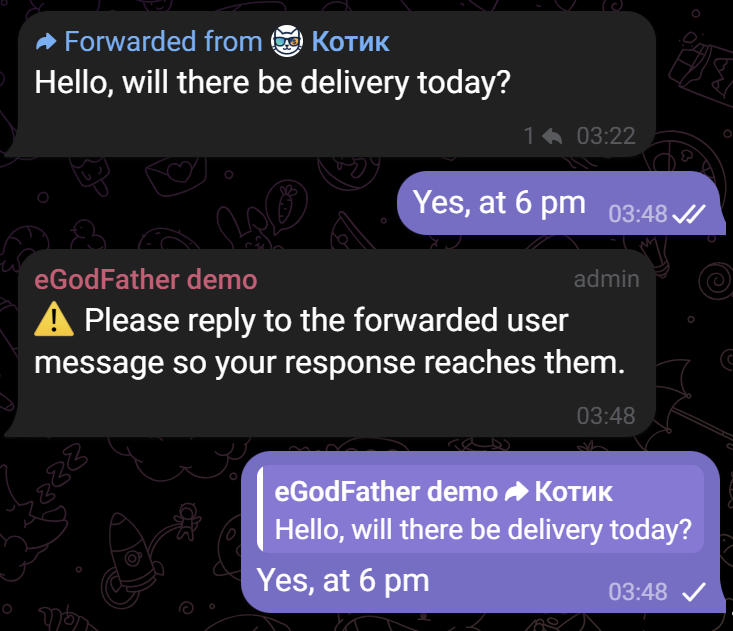
Replying to an incoming message: To reply to a customer, the manager must use the standard messenger “Reply” function on a specific user message within the group. This is necessary so the bot can determine which specific customer the reply is addressed to. The user will receive the response on behalf of the bot, rather than from the manager’s personal account.
Dialogue initiation by a manager:
If it is necessary to message the customer first (for example, if you were unable to reach them by phone to confirm an order), use the following command:
/msg [order number] [message text]. Example: /msg 1414 the courier was unable to reach you, please provide a current phone number.
Command Help: To display a list of all available commands, send the /help command to the support group.