If your store serves customers from the European Union or the USA, you need to comply with strict regional regulations for personal data collection (such as GDPR in Europe or CCPA/CPRA in California). The plugin provides a single settings block for displaying relevant notifications and checkboxes.
Enabling settings and adding links:
- Go to the plugin settings and open the GDPR / CCPA / CPRA / VCDPA tab.
- Check the Enable GDPR Settings box (or a similar one that activates the block) to enable compliance features.
- In the corresponding fields, insert the URLs of your store’s legal documents:
- Privacy Policy: Privacy Policy.
- Terms of Service: Terms of Service.
- Cookie Policy: Cookie Policy.
- Refund Policy: Refund Policy.
- Impressum / Legal Notice: Company legal details (mandatory for some EU countries) or the “Do Not Sell or Share My Personal Information” link (mandatory for CCPA in the USA).
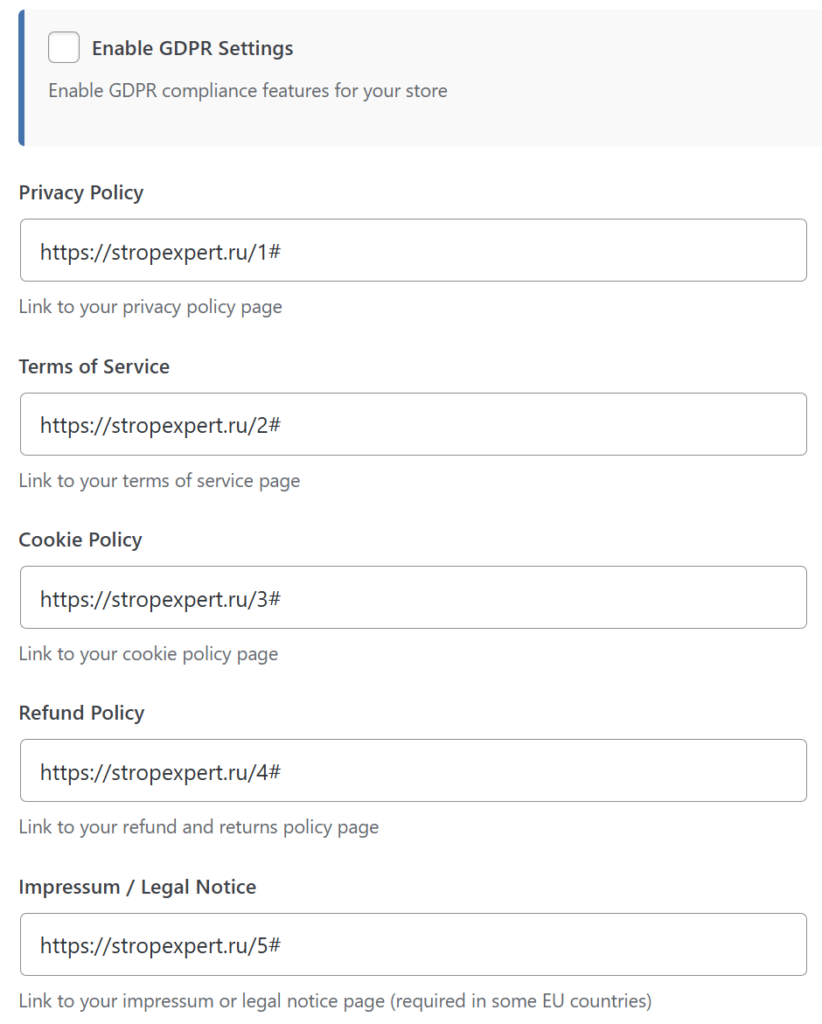
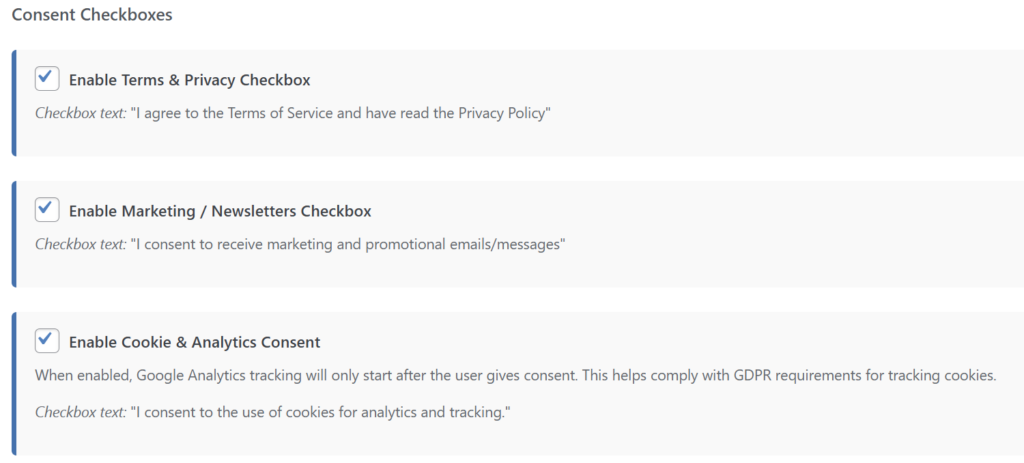
Activation of consent checkboxes: In the Consent Checkboxes block, you can flexibly configure which specific items the user must confirm when entering the store:
- Enable Terms & Privacy Checkbox: Activates the checkbox for agreeing to the terms of service and privacy policy.
- Enable Marketing / Newsletters Checkbox: Activates a separate checkbox for subscribing to marketing newsletters.
- Enable Cookie & Analytics Consent: Activates the request for consent to collect analytical data.
Important: When this option is enabled, trackers and analytics systems will not collect data until the user gives explicit consent.
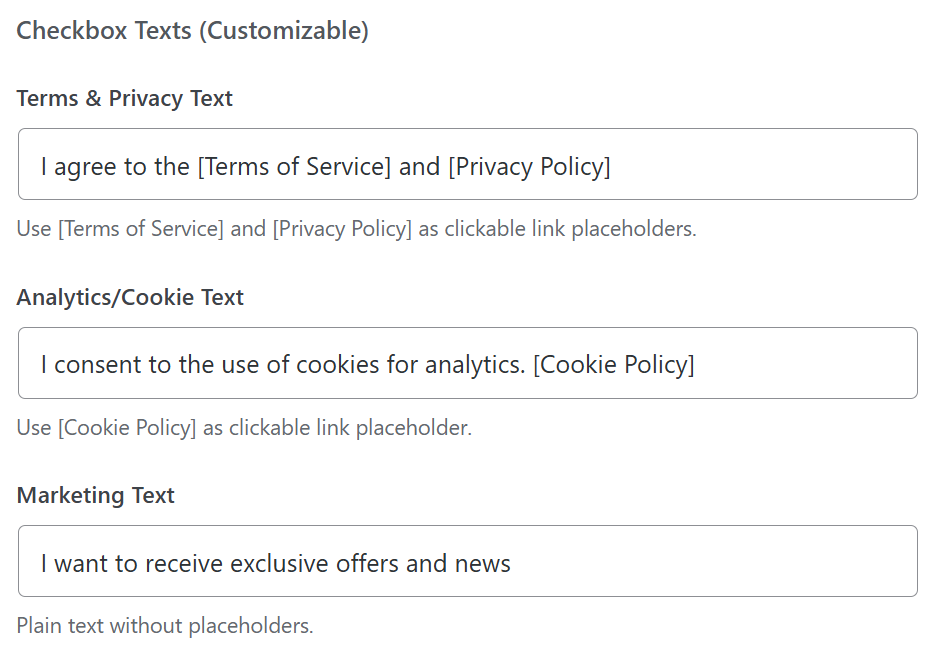
Customization of Consent Texts: The Checkbox Texts (Customizable) block allows you to translate checkbox texts into any language or adapt them to specific laws. To display documents in the text as clickable links, use special variables in square brackets:
- In the Terms & Privacy Text field, you can use the placeholders
[Terms of Service]and[Privacy Policy]. - In the Analytics/Cookie Text field, the
[Cookie Policy]placeholder is available. - The Marketing Text field does not support link insertion and is filled with plain text.
CCPA / CPRA / VCDPA
There is no single federal data protection law in the US, but there are strict individual state laws (e.g., CCPA and CPRA in California, VCDPA in Virginia). If your store delivers goods to customers in the US, you are required to comply with these requirements.
How to configure the plugin for the US: The technical requirements of US legislation are fully covered by the functionality available in the GDPR Settings tab of our plugin.
- Go to the plugin settings and enable Enable GDPR Settings.
- Ensure that the Privacy Policy and Cookie Policy links lead to documents adapted to US law (in particular, the Privacy Policy must have a section on the rights of California residents).
- Mandatory CCPA requirement: Consumers in California have the right to opt-out of the sale or sharing of their personal data. You can use the Impressum / Legal Notice field to place a mandatory link with the text “Do Not Sell or Share My Personal Information“, leading to the corresponding page on your website.
- Enable the Enable Cookie & Analytics Consent checkbox so that trackers and analytics systems do not collect data before the US user sees the cookie collection notice.
By using these settings, you will ensure the store’s compliance with basic privacy requirements in the US market.